
Data quality recipe
Find Duplicate Rows in Excel with SQL
Define what ‘duplicate’ means for this file, count those keys, and get a short report of the rows worth checking.
The problem
Real duplicates are rarely identical from the first cell to the last. More often, the suspicious part is a repeated email and order reference while notes or timestamps differ.
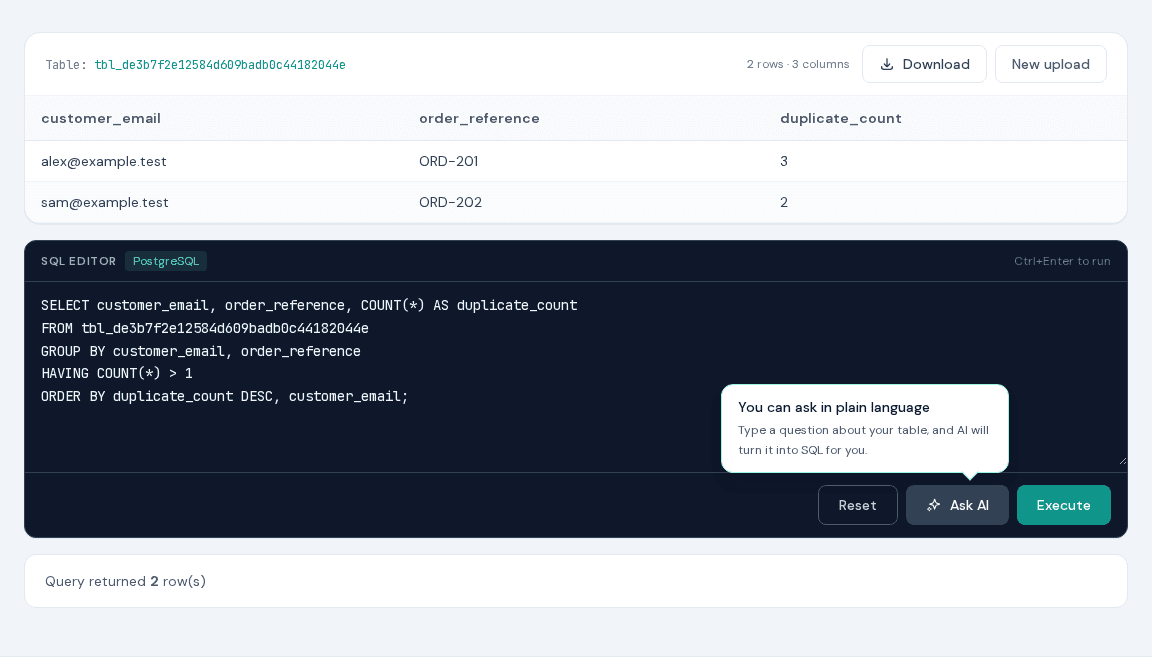
That is why it helps to name the business key explicitly. This query groups the two columns that matter and shows only combinations seen more than once.
Try the recipe
- 1Download and upload duplicates-demo.xlsx.
- 2Use the generated SQL table name in the query.
- 3Run the query to see each repeated email and reference with its count.
- 4Download the report or adjust the grouped columns to match your own business key.
Ready-to-use query
Report repeated customer-email and order-reference pairs.
SELECT customer_email, order_reference, COUNT(*) AS duplicate_count
FROM tbl_your_session
GROUP BY customer_email, order_reference
HAVING COUNT(*) > 1
ORDER BY duplicate_count DESC, customer_email;
Replace tbl_your_session with the table name displayed after upload. The supplied demo is an .xlsx file; XLS-SQL also accepts XLS, CSV, TSV, ODS, JSON, HTML, and Parquet. On the AI page, the block is a prompt for Ask AI.
Why XLS-SQL fits this job
- You choose the columns that make a record unique in your business.
- A count distinguishes an occasional repeat from a larger data problem.
- The same query works on the next file that uses those columns.
- The resulting checklist can be handed to someone else as XLSX, CSV, or another supported format.
Tips & tricks
- Normalize text with LOWER and TRIM when capitalization or stray spaces should not create separate groups.
- Decide how NULL and blank strings should be treated before counting duplicates.
- Add MIN or MAX of a date column to see when each repeated key first or last appeared.
- Download the duplicate report before changing the original workbook.
FAQ
Can SQL find duplicates based on several Excel columns?
Yes. Put all key columns in both SELECT and GROUP BY, then keep groups with HAVING COUNT(*) > 1.
Does this remove duplicate rows?
No. The public tool uses a safe SELECT workflow. It creates a duplicate report without modifying the uploaded table.
How do I ignore capitalization?
Group by LOWER(column_name), and consider TRIM(column_name) when leading or trailing spaces should also be ignored.