
AI-assisted recipe
Use an AI SQL Generator for Excel
Use plain language to get past a forgotten bit of syntax, then read the generated SQL as carefully as you would a colleague’s draft.
The problem
Knowing the question and remembering the syntax are different skills. It is easy to know you need totals by region and still pause over GROUP BY or the right place for HAVING.
Ask AI can prepare a first draft from your request. It receives the table shape, row count, and a small sample through DeepSeek, then puts the SQL in the editor for you to inspect. Nothing runs automatically.
Try the recipe
- 1Upload sales-demo.xlsx and wait for the preview.
- 2Replace the editor contents with the prompt shown below.
- 3Choose Ask AI, then inspect the generated SQL and explanation.
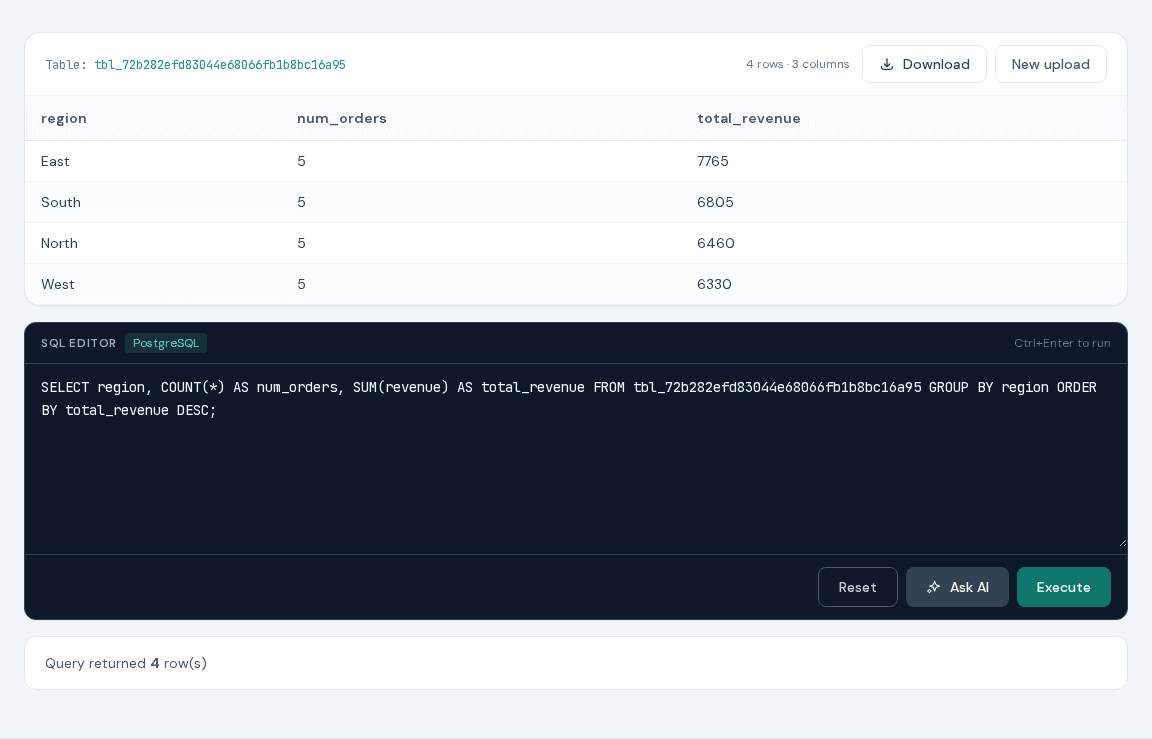
- 4Run the SQL only after checking its selected columns, conditions, grouping, and ordering.
Ready-to-use query
A plain-language prompt for the AI assistant (not SQL).
Show total revenue by region, highest first, and include the number of orders.Replace tbl_your_session with the table name displayed after upload. The supplied demo is an .xlsx file; XLS-SQL also accepts XLS, CSV, TSV, ODS, JSON, HTML, and Parquet. On the AI page, the block is a prompt for Ask AI.
Why XLS-SQL fits this job
- A concrete prompt can save a trip to the PostgreSQL manual for familiar tasks.
- The assistant sees the imported columns instead of guessing their names.
- Its answer remains ordinary, editable SQL in the editor.
- The final query runs in the same isolated PostgreSQL sandbox as handwritten SQL.
Tips & tricks
- Mention the exact output columns, filters, grouping, and sort order in your prompt.
- Ask for a small preview first when you are unsure how the data is shaped.
- Read the SQL—not only the explanation—and check that every condition matches your request.
- Do not use Ask AI for sensitive data you would not want included in the sample sent to DeepSeek.
FAQ
Does the AI execute SQL automatically?
No. It places a draft in the editor so you can review and deliberately execute it.
What data is sent to the AI provider?
The service sends your prompt, table definition, total row count, and up to the first 20 rows to DeepSeek.
Can I edit the generated query?
Yes. The generated SQL is normal editor text and can be changed before execution.