
Safe sample data
Data file SQL examples you can run now
Download a small synthetic .xlsx demo—or use XLS, CSV, TSV, ODS, JSON, HTML, or Parquet data—run real PostgreSQL, and export the result. No signup or database setup.
Open XLS-SQLDemo workbooks
These specific demo files use .xlsx and contain invented records with no personal information. They are intentionally small enough to make each query result easy to verify.
One-minute example
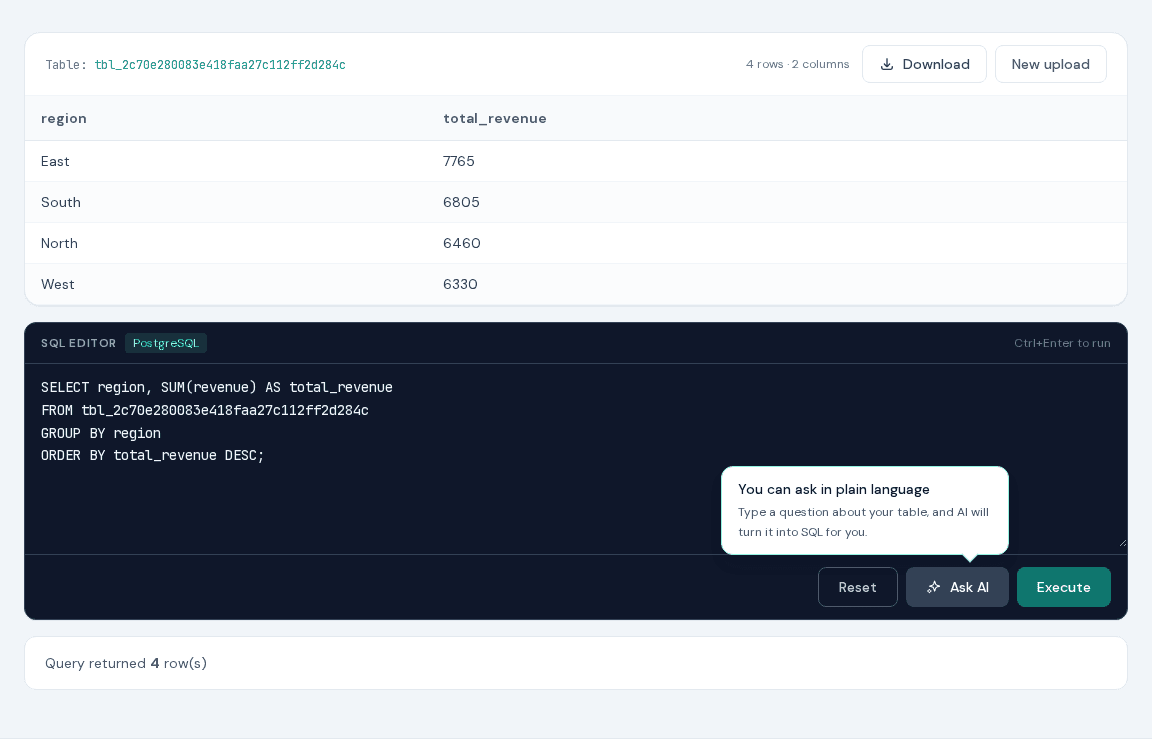
Upload the sales demo, copy the temporary table name shown by XLS-SQL, and replace the placeholder below. The query returns one revenue total per region.
SELECT region, SUM(revenue) AS total_revenue
FROM tbl_your_session
GROUP BY region
ORDER BY total_revenue DESC;- Preview the source rows before running SQL.
- Review the grouped result in the browser.
- Choose Download and select XLSX, CSV, TSV, ODS, JSON, JSONL, HTML, or Parquet.
Watch the workflow
The short recording shows upload → query → preview. It contains no customer data and has no audio.
Choose a practical recipe
Query Excel with SQL Online
Got a workbook and a question? Upload the file, write the query, and download the answer—there is no database to set up first.
Browser SQL editorExcel SQL Editor Online
Use a small, focused PostgreSQL editor when opening a full database tool would take longer than answering the question.
Filtering recipeFilter XLSX Rows with SQL
When an Excel filter has grown into a checklist, write the rule once as a WHERE clause and keep it with the report.
Aggregation recipeGroup Excel Rows with SQL
For a quick summary that someone else can verify, a short GROUP BY query is often easier to pass around than a pivot-table setup.
Data quality recipeFind Duplicate Rows in Excel with SQL
Define what ‘duplicate’ means for this file, count those keys, and get a short report of the rows worth checking.
AI-assisted recipeUse an AI SQL Generator for Excel
Use plain language to get past a forgotten bit of syntax, then read the generated SQL as carefully as you would a colleague’s draft.
Beginner guideSQL for Excel Beginners
Learning SELECT is easier when the rows look familiar. Bring a small spreadsheet and change one clause at a time.
Practical comparisonExcel Power Query vs SQL for One-Off Data Work
Power Query and SQL solve overlapping problems in different ways. The better choice is usually the one your team can understand and repeat.
Before using your own file
- Supported imports include XLSX, XLS, CSV, TSV, ODS, JSON, HTML, and Parquet.
- Spreadsheet imports use the first worksheet; each session contains one table.
- The current limits are 200 MB and 200 columns, with no input row-count limit.
- Files are processed server-side in temporary sessions.
FAQ
Are the demo files safe to share?
Yes. Their records are synthetic and created specifically for these examples.
Which export formats can I use?
Run a SELECT, choose XLSX, CSV, TSV, ODS, JSON, JSONL, HTML, or Parquet, and select Download.
Can I use the queries with my own columns?
Yes. Replace the table and column names with the SQL-safe names shown in your preview.