
Beginner guide
SQL for Excel Beginners
Learning SELECT is easier when the rows look familiar. Bring a small spreadsheet and change one clause at a time.
The problem
Many SQL tutorials begin with installing a database and learning somebody else’s sample schema. Both are useful eventually, but neither helps much when you just want to understand SELECT and WHERE.
A familiar workbook removes that extra mental load. Start with four columns, add one filter, change the sort direction, and watch how each edit changes the result.
Try the recipe
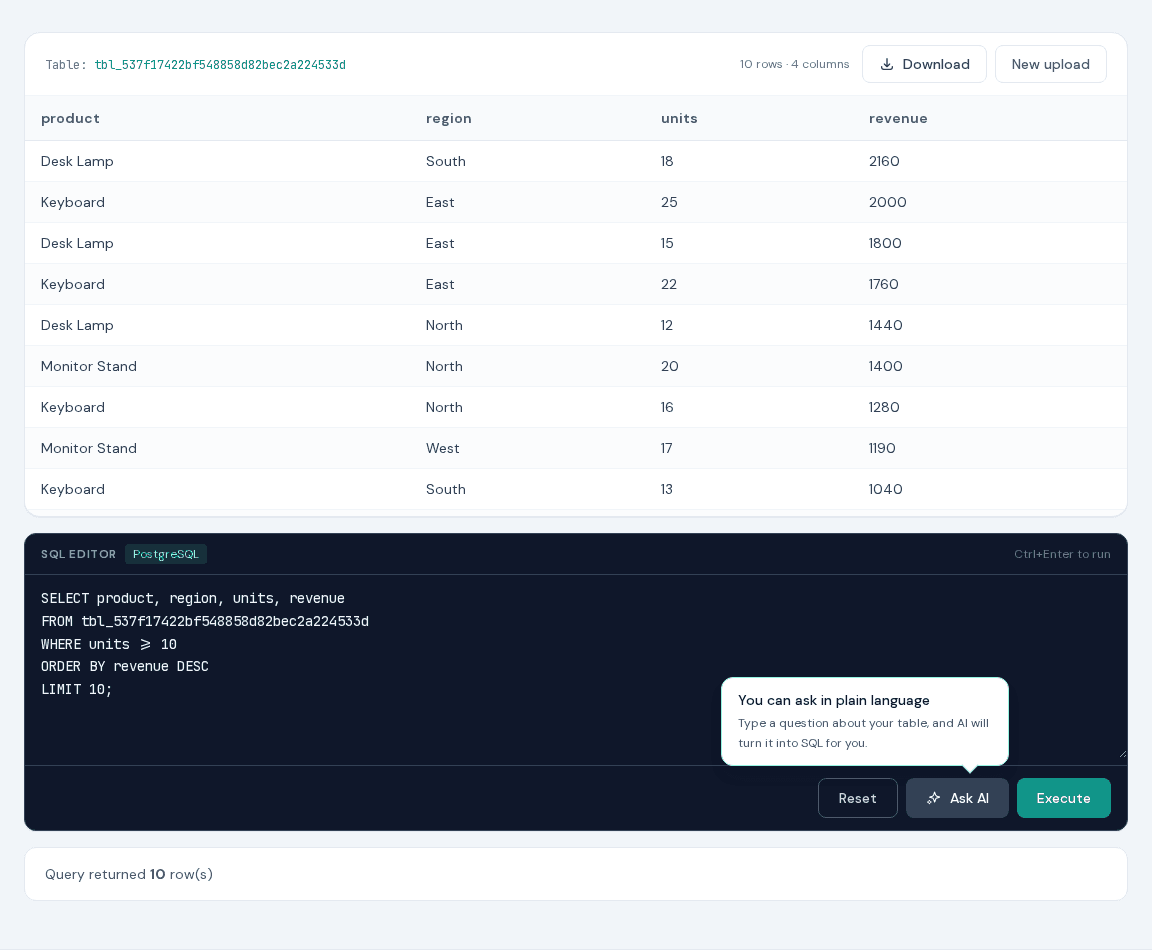
- 1Upload the beginner demo and find the temporary table name.
- 2Replace tbl_your_session below with that exact name.
- 3Run the query and identify SELECT, FROM, WHERE, ORDER BY, and LIMIT.
- 4Change the minimum units or sort direction and run it again.
Ready-to-use query
Choose four columns, keep rows with at least ten units, sort, and return ten rows.
SELECT product, region, units, revenue
FROM tbl_your_session
WHERE units >= 10
ORDER BY revenue DESC
LIMIT 10;
Replace tbl_your_session with the table name displayed after upload. The supplied demo is an .xlsx file; XLS-SQL also accepts XLS, CSV, TSV, ODS, JSON, HTML, and Parquet. On the AI page, the block is a prompt for Ask AI.
Why XLS-SQL fits this job
- The data looks like a normal workbook rather than an abstract teaching schema.
- You can begin without installing a database or opening an account.
- The preview makes the connection between spreadsheet headers and SQL columns visible.
- The AI helper can suggest a draft when a piece of syntax gets in the way.
Tips & tricks
- Begin with SELECT * and LIMIT 10, then replace the asterisk with the columns you need.
- Change only one clause between runs; the effect is much easier to understand.
- Read queries in this order: FROM, WHERE, GROUP BY, SELECT, ORDER BY, LIMIT.
- Keep a small notebook of working examples instead of trying to memorize every keyword.
FAQ
Do I need to know PostgreSQL before using XLS-SQL?
No. Start with SELECT * and LIMIT, then add WHERE, ORDER BY, and GROUP BY as needed.
Is this real PostgreSQL practice?
Yes. Queries run against a PostgreSQL table created from the uploaded first worksheet.
Can I practice with my own Excel data?
Yes, provided it is a supported file within the limits. The supplied synthetic demo happens to be .xlsx.